Library Services
Self Renew / My Library Card
- User manuals
- 3
Self Renew / My Library Card (My account)
Click here for Login
Enter the following information.
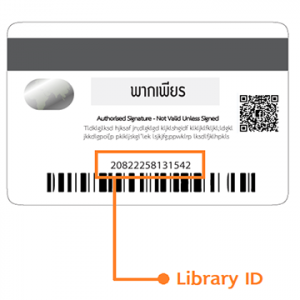
LibraryID: Enter the barcode number on the back of the student card, or a Library ID from ‘We Mahidol Application’
Password: Enter ‘mahidollibrary‘ in the ‘Password’ field. This is the default password set by the library
Note: If you do not want to use the default password set by the library, you can set a new password using the ‘reset password’ button.
The reset link will only be sent to the email address currently registered in the library system.